OmniAI-OFFLINE
A downloadable tool for Windows
💠 OmniAI Studio - The Ultimate Offline AI Assistant
[Arabic Version | النسخة العربية]
🌟 عن البرنامج
OmniAI Studio هو مساعد ذكي متكامل مصمم للمبرمجين والمبدعين. البرنامج يعمل محلياً بالكامل (Offline) على جهازك، مما يضمن لك خصوصية مطلقة وسرعة فائقة دون الحاجة لاتصال دائم بالإنترنت.
🚀 المميزات الرئيسية:
ذكاء خارق: دعم احدث واذكي النسخ من الذكاء الاصتناعي
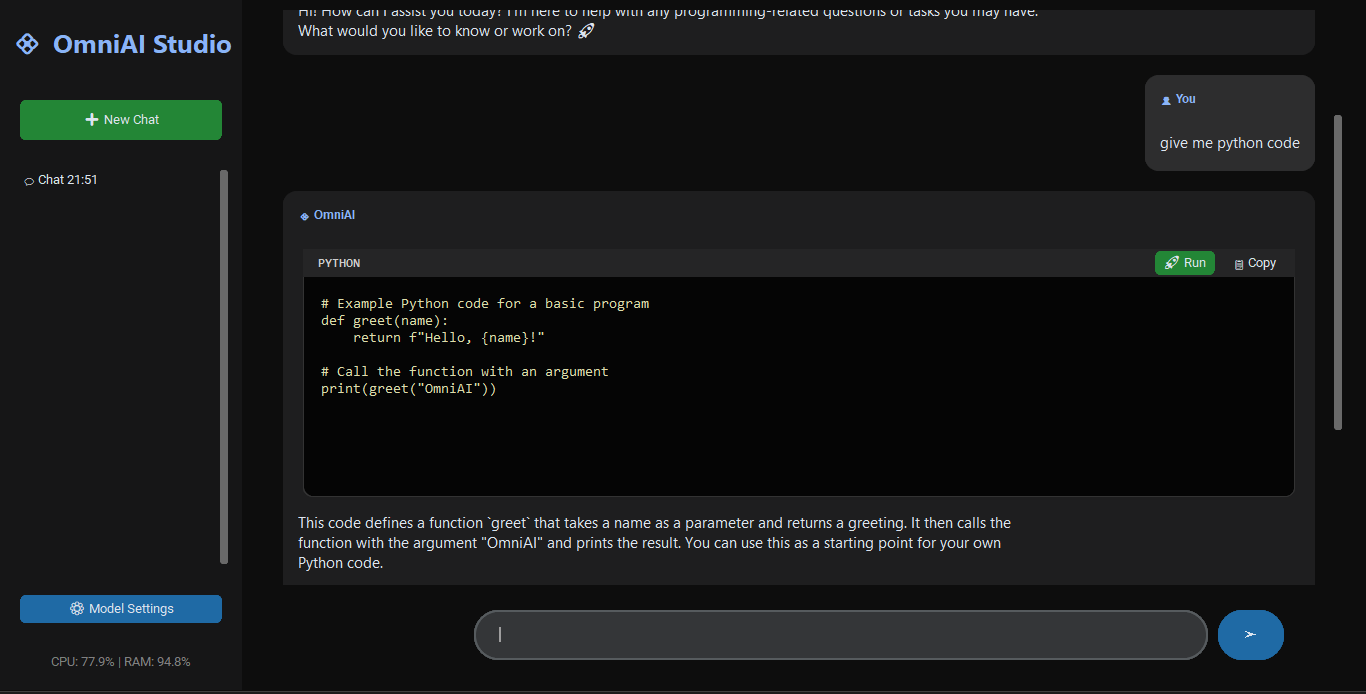
مشغل أكواد مدمج: اكتب، انسخ، وشغل أكواد بايثون مباشرة من داخل المحادثة.
خصوصية 100%: بياناتك ومحادثاتك لا تخرج من جهازك أبدأ.
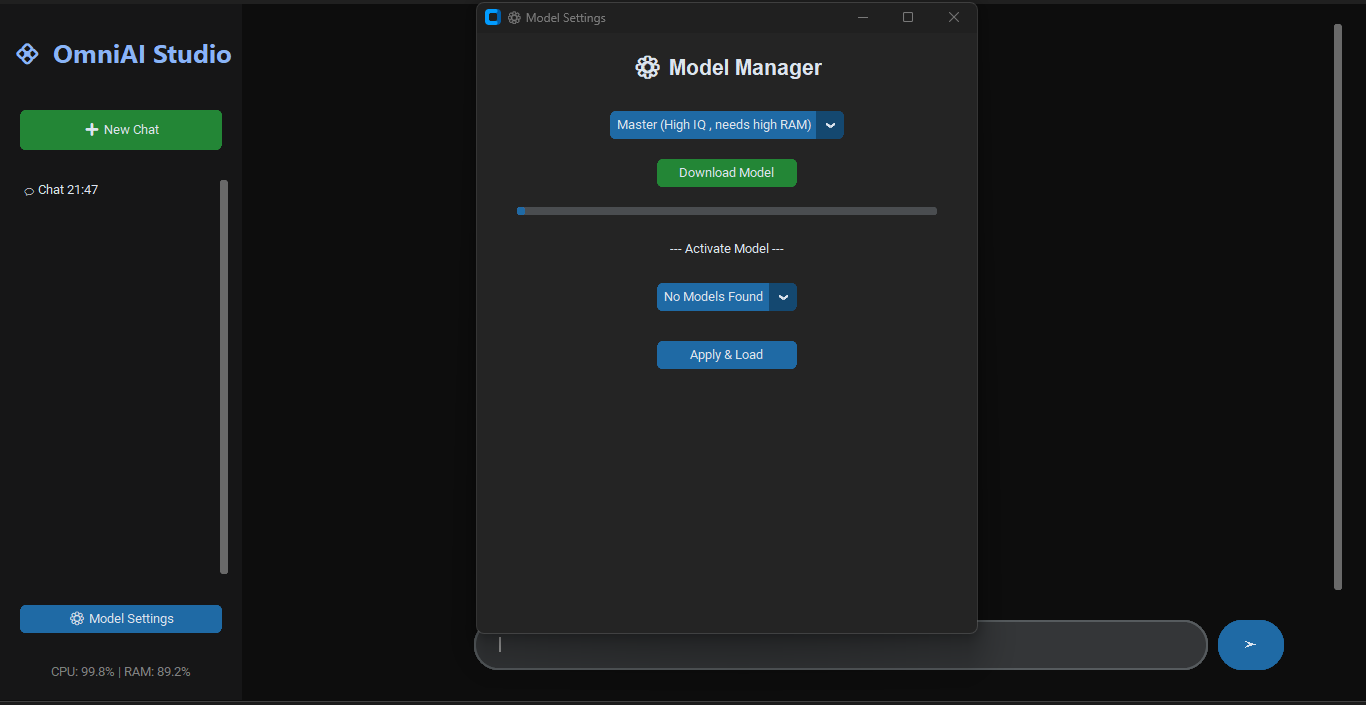
إدارة الموديلات: محمل موديلات ذكي يتيح لك اختيار الذكاء المناسب لقوة جهازك.
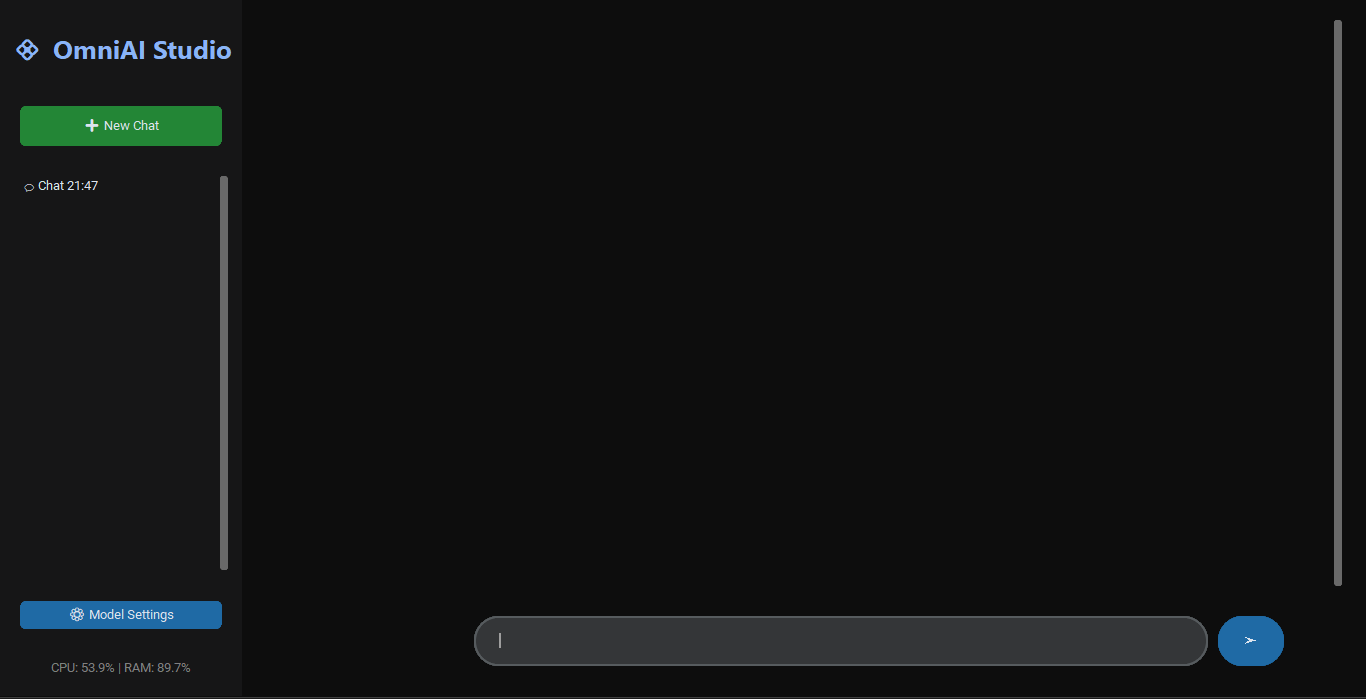
واجهة عصرية: تصميم Dark Mode مريح للعين مع تجربة مستخدم سلسة.
🛠️ كيف تبدأ؟
قم بتحميل ملف الـ EXE وتشغيله.
اذهب إلى الإعدادات (Settings).
اختر الموديل المناسب لك واضغط "Download".
بعد اكتمال التحميل، اختر الموديل من القائمة واضغط "Apply".
ابدأ الدردشة والبرمجة فوراً!
[English Version]
🌟 About the App
OmniAI Studio is a powerful, fully offline AI assistant tailored for developers and tech enthusiasts. By running locally on your hardware, it ensures 100% privacy and lightning-fast responses without relying on cloud servers.
🚀 Key Features:
Top-Tier Models: Supports Modern and intelligent AIs
Built-in Code Runner: Execute, copy, and manage code snippets directly within the chat.
Privacy First: Your data never leaves your machine. No internet required after setup.
Smart Model Manager: Easily download and switch between different AI models based on your hardware specs.
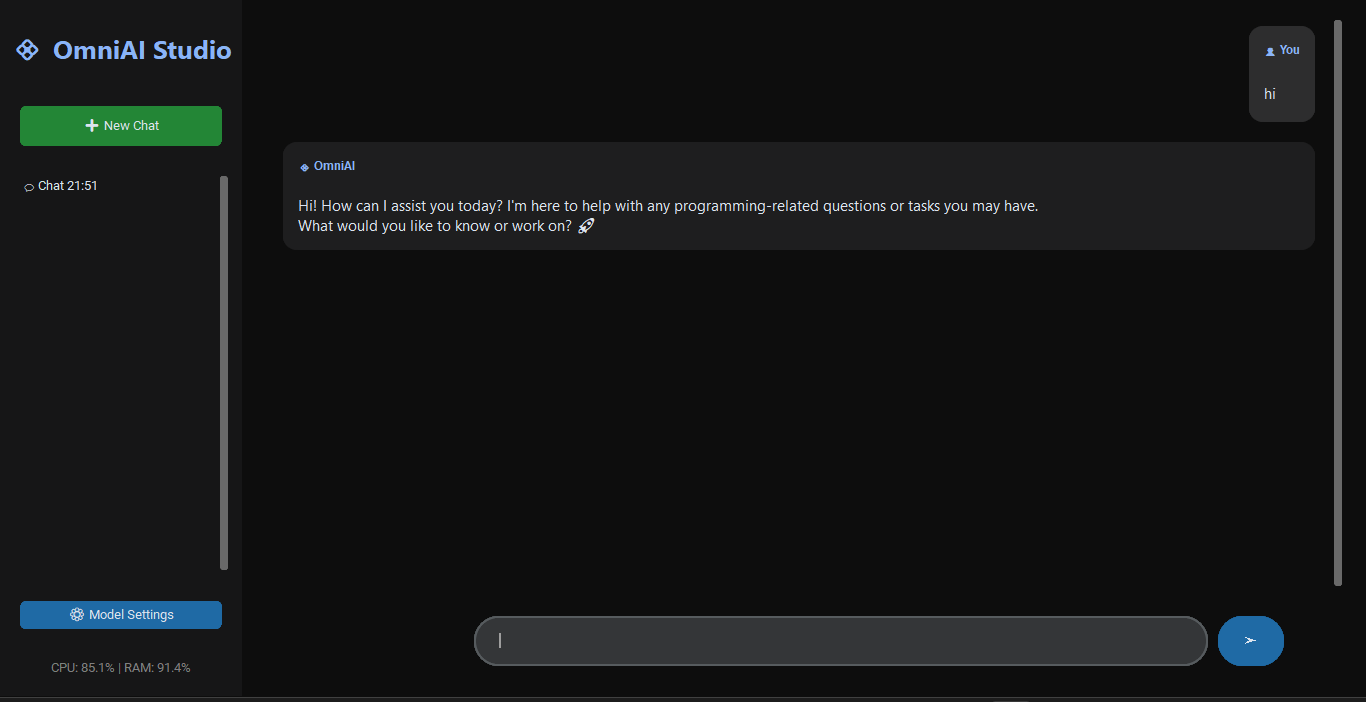
Modern UI: Sleek, high-performance dark interface designed for productivity.
🛠️ Installation Guide:
Download and run the EXE file.
Open the Settings menu.
Select your preferred model and hit Download.
Once finished, select it from the installed models list and click Apply.
You're ready to go! Enjoy your private AI.
Download
Leave a comment
Log in with itch.io to leave a comment.